

A website is only as useful as your team’s ability to update it. If every content change, product update, or landing page requires a developer, your team is bottlenecked and your website falls behind your competitors. A well-built Content Management System (CMS) fixes that: it puts day-to-day content control directly in your team’s hands while keeping the underlying site fast, secure, and structured for search visibility.
At Crossway Consulting, we build CMS solutions that transform how your team manages digital content. Whether you need a WordPress site optimized for SEO from the ground up, a headless CMS for omnichannel content delivery, or an enterprise-grade platform built for complex approval workflows, we deliver systems that are secure, easy to use, and built to scale with your business.
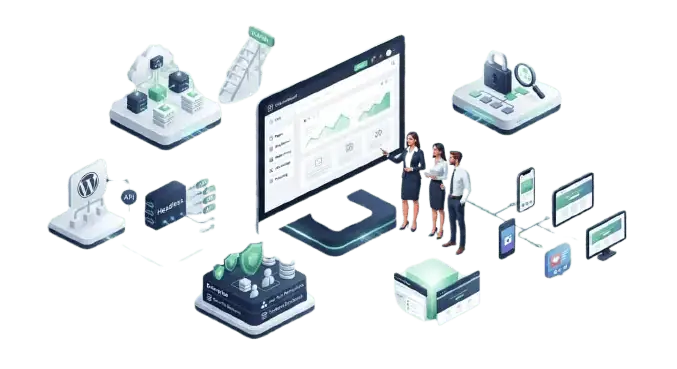
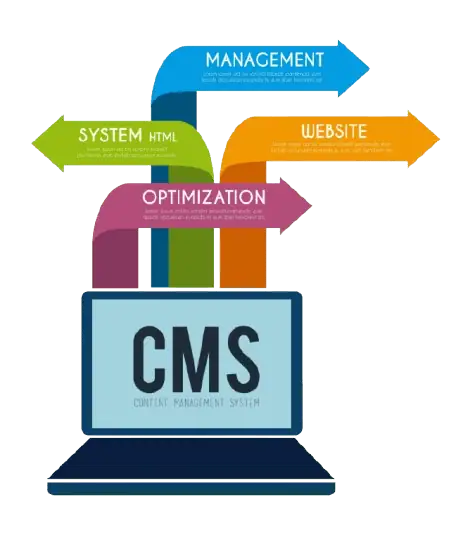
A Content Management System (CMS) is software that lets you create, edit, organize, and publish website content without writing code. Instead of editing raw HTML files on a server, your team logs into a dashboard, makes changes, and publishes them instantly. Platforms like WordPress, Shopify, and Magento are all examples of CMS software, each built for different use cases — content-heavy sites, product catalogs, or enterprise-scale publishing.
For a growing business, the CMS you choose determines how quickly you can respond to opportunities. A new product launch, a seasonal promotion, or a correction to outdated information shouldn’t sit in a developer’s queue for a week. The right CMS turns content changes into a same-day task instead of a project.

| Platform-Agnostic Recommendations | We work across multiple CMS platforms rather than defaulting to one. We recommend the platform that fits your content volume, team size, and technical needs — even when that means a smaller project for us than a bigger platform would require. |
| Built for Business Outcomes | We design CMS architecture around how your content actually drives leads, sales, or engagement — not just around delivering a checklist of features that look good in a proposal but don't move your business forward. |
| User-Centric by Design | A CMS is only as good as its usability. We build editing experiences your content team can actually use without a developer on standby, and front-end experiences your visitors find easy to navigate on any device. |
| Performance-Focused Architecture | Page speed affects both conversions and search rankings. Every CMS build we deliver is optimized for load time from the initial architecture, not patched in as an afterthought once the site is already slow. |
| Security Built In From Day One | Security isn't an add-on step at the end of a project. We apply security best practices to code, plugin/module selection, hosting configuration, and update processes from the start of every build. |
| SEO Embedded in the Architecture | Clean URL structures, proper heading markup, schema implementation, and a content structure designed for search visibility are part of the build itself — not a separate line item bolted on after launch. |
We build and customize CMS solutions on the platforms best suited to your specific use case:
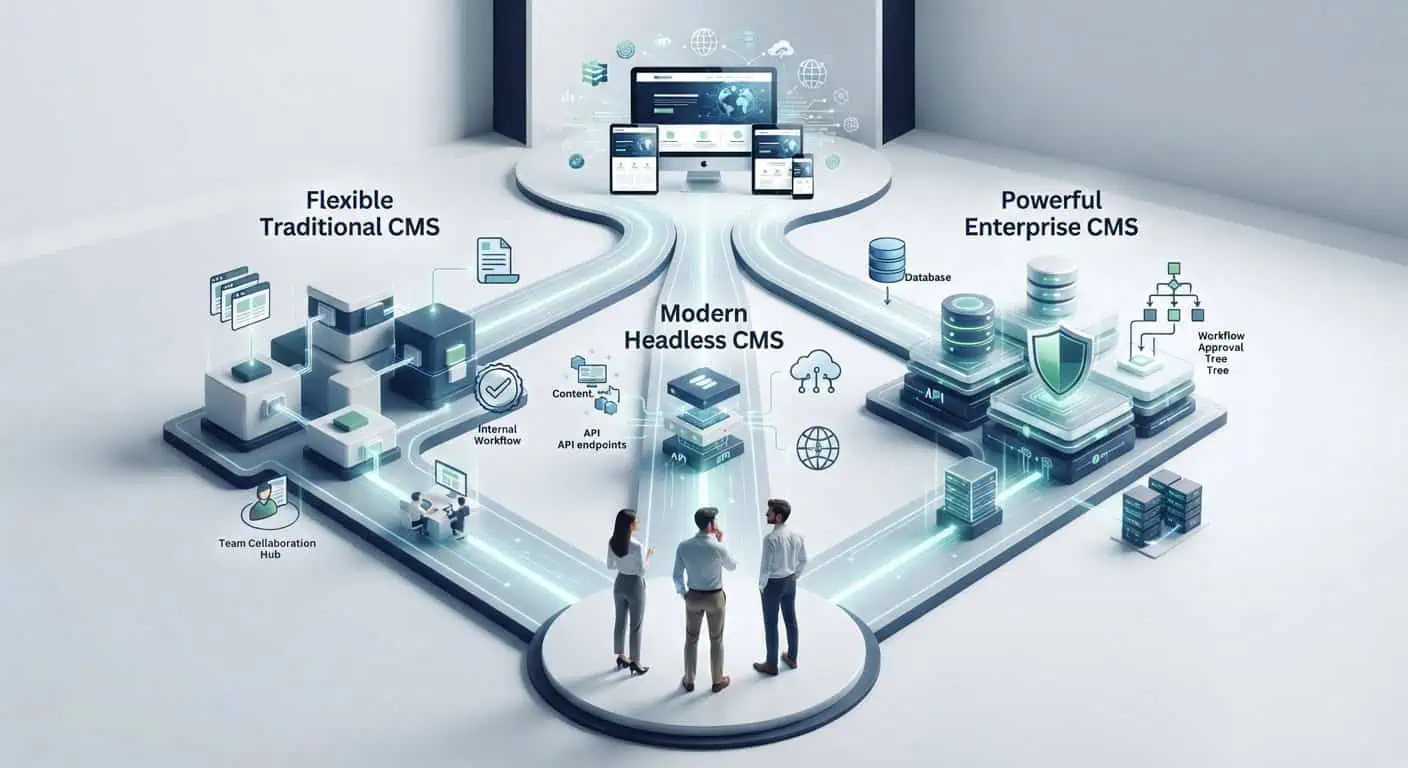
for content-heavy sites, blogs, and SEO-driven businesses. WordPress.org's own plugin directory currently lists over 68,000 free plugins, giving businesses extensive flexibility without custom development for common features.
for CMS-integrated e-commerce, covered in detail on our E-Commerce CMS Development page.
for teams delivering content across a website, mobile app, and other digital touchpoints from a single content source.
for organizations with complex approval workflows, multi-department publishing, or strict compliance requirements.
New build or platform migration — we design and develop CMS architecture around your content model, team structure, and growth plans, not a generic template stretched to fit your business.
Your CMS shouldn’t operate in isolation. We integrate your content platform with CRMs, ERPs, marketing automation tools, and analytics platforms so your content workflow connects to the rest of your business systems.
We design unique, brand-specific themes rather than modifying an off-the-shelf template. If you’re weighing a fully custom build against a themed CMS, our Custom Website Design Services page covers that decision in more depth.
Moving to a new CMS or upgrading an existing one carries real SEO risk if it’s handled without a plan. Our migrations preserve URL structure, implement proper 301 redirects, and maintain existing metadata and schema — protecting the rankings you’ve already earned.
We optimize CMS builds for faster load times, mobile responsiveness, and search engine visibility, testing against Google’s actual Core Web Vitals thresholds rather than guessing at “fast enough.”
Post-launch, we provide regular updates, security patches, and performance monitoring, so your CMS stays secure and current instead of becoming a liability two years after launch.
The right platform depends on your content volume, technical resources, and growth plans — there isn’t a single correct answer for every business. WordPress remains a common starting point for small to mid-sized businesses because of its large open-source plugin ecosystem and relatively low cost of entry. Businesses with more complex workflows, multi-brand publishing, or omnichannel content needs are often better served by a headless or enterprise CMS. If your primary need is a full site overhaul rather than a platform change, our Website Redesign Services page may be the better starting point.
We’ll assess your content requirements, budget, timeline, and integration needs and recommend the platform that actually fits — not the one that’s easiest for us to sell.

Google’s ranking systems increasingly evaluate sites on Experience, Expertise, Authoritativeness, and Trustworthiness (E-E-A-T), alongside technical page experience signals like Core Web Vitals — standards Google’s 2026 core updates have continued to reinforce. Your CMS directly affects both. A CMS that supports clean semantic markup, structured data, fast page load, and easy content updates makes it easier to keep content current — a factor Google’s core updates consistently reward. A CMS that requires a developer for every change makes it harder to fix outdated content, broken links, or thin pages before they affect rankings. Choosing a CMS isn’t just a technical decision; it’s part of your SEO strategy.
Healthcare & MedTech
HIPAA-compliant telehealth platforms, patient portals, wearable integrations, EHR apps, clinical workflow tools, and remote monitoring solutions.
E-Commerce & Retail
Mobile storefronts, loyalty apps, AR try-on features, inventory management, omnichannel experiences.

Fintech & Banking
Secure payment apps, digital wallets, investment platforms, loan origination tools, and regulatory-compliant financial dashboards.

Logistics & Transportation
Fleet management, driver apps, route optimization, vehicle diagnostics, and customer booking apps.

Real Estate & PropTec
Property search apps, virtual tours, mortgage calculators, CRM integrations, agent tools.

Maritime & Cargo
Intuitive cargo management platforms with real-time tracking and compliance features.

We work primarily with WordPress (including WooCommerce for e-commerce), Shopify, Magento, and headless CMS architectures. Rather than pushing every client toward one platform, we evaluate your content needs and recommend the best fit — including cases where that means a smaller, simpler project than a bigger platform would require
Yes. A CMS migration is handled as an SEO project as much as a technical one. That means mapping and preserving your existing URL structure, implementing 301 redirects for any URLs that do change, carrying over metadata and structured data, and testing the full site in a staging environment before it goes live.
A CMS supports lead generation by letting your team publish and update landing pages without developer delays, supporting structured content and metadata that improve search visibility, and enabling faster testing and iteration on headlines, calls to action, and forms. The CMS itself doesn't generate leads, but it removes the friction that slows down the content and pages that do.
Timelines depend on platform choice, content volume, and integration complexity. A straightforward WordPress build differs significantly from an enterprise headless CMS implementation with multiple integrations. We provide a specific timeline once we've scoped your project.
No. That's the core purpose of a CMS — your team manages content through a dashboard interface, not code. We also provide training and documentation as part of every build so your team is confident managing the site from day one.